When you want to create a table were you want to remain the position of the records you create (like the lineNum field on the SalesLine), you just need to define a field on your new table as a ‘CounterField‘.
Step-by-step:
- You add a new field to your table that extends from the ExtendedDataType ‘LineNum‘. This field has the type Real.
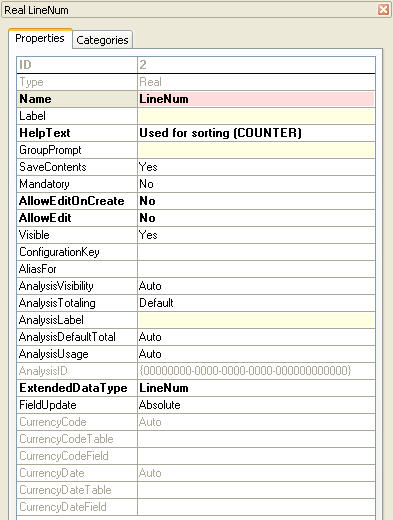
- You create a new index with this field
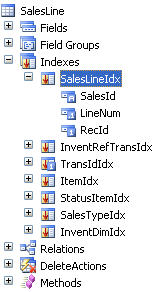
- On the form you add your table as a DataSource and set the following properties:
- Index : the index with the lineNum-field
- CounterField : your LineNum-field

Now automaticly when you create a new record, the lineNum gets the value ‘1’. When you create a record at the end of the table it wil get the value ‘2’, ‘3’, … In the beginning of the table, the value’s will be ‘-1’, ‘-2’, …
If you create a new record between ‘3’ and ‘4’, the LineNum-value will be ‘3.5’.
When you want a example of this, you need to look at the ‘SalesTable’-form and the DataSource ‘SalesLine’.
